
Less Searching. Simpler Symbol Management.
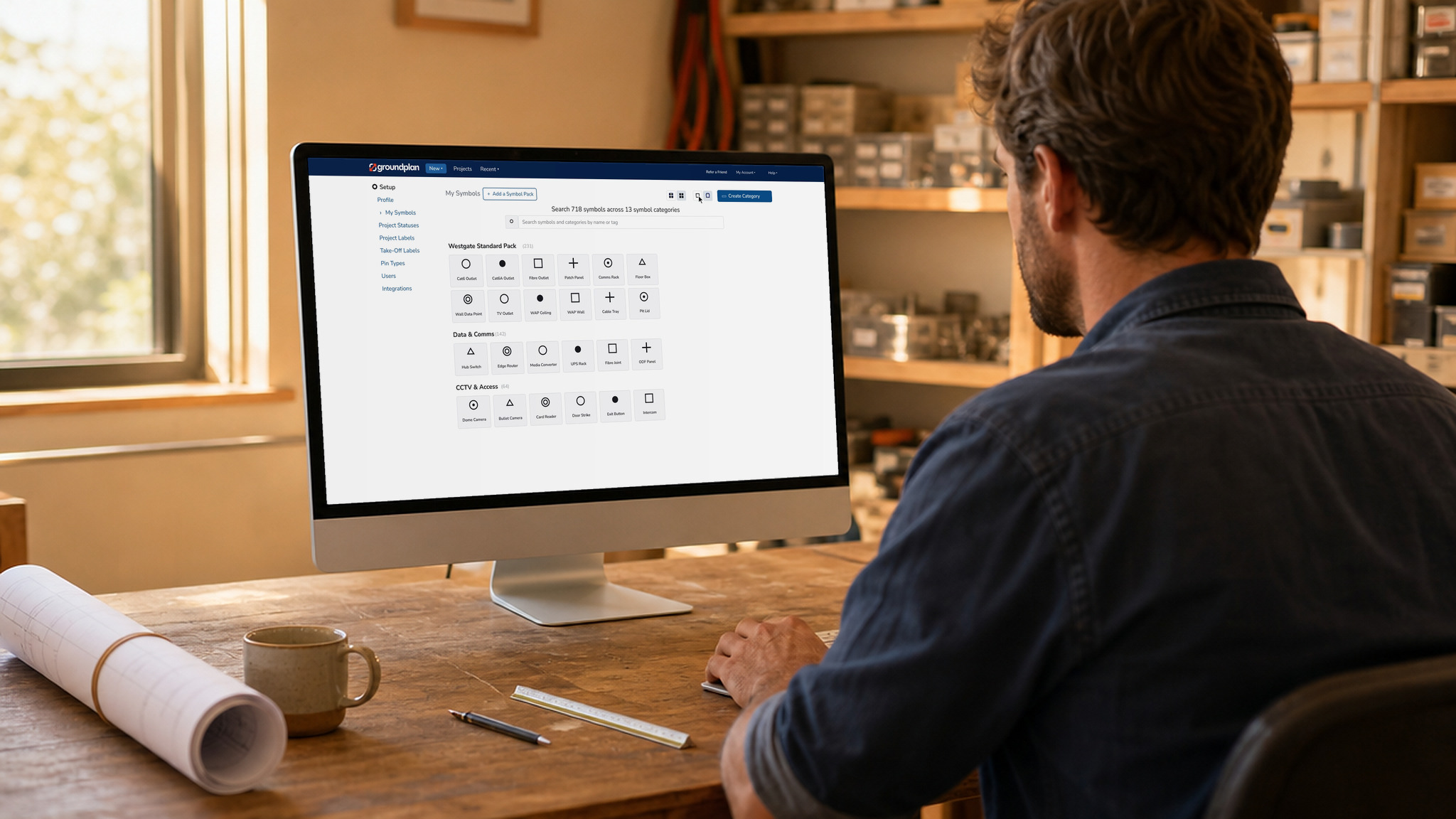
Finding the right symbol should be a quick part of setting up your work. We’ve updated My Symbols in Groundplan to make your collection easier to search, organise and manage, with your categories and symbol packs together on one page.
Whether you use a handful of symbols or maintain a larger collection, the update gives you a clearer view of what’s available and more flexibility in how you browse it.
Find the Symbol You Need
Search now covers all your categories and symbol packs at once. Enter a symbol name or tag to find what you’re looking for without opening each category separately.
If you prefer to browse, you can expand or collapse sections and switch between list and grid views. Choose the layout that makes it easiest to recognise your symbols and keep the sections you need in view.
That means less time looking through your collection and a simpler way to get to the symbol you want.
Build and Organise Your Collection
Adding your own symbols is easier to manage, too. Create a category, then upload up to 100 symbols at once. It’s a practical way to bring a collection into Groundplan without uploading every symbol individually.
Need to make a change? Click any symbol to open and edit it.
You can also restore deleted symbols later, giving you a way to recover something you’ve removed rather than having to upload it again.
Everything in One Place
Adding or removing a symbol pack works as before. The difference is that packs now sit alongside your categories, bringing your symbol management together in one place.
To explore the updated page, open Setup and select My Symbols.
Try searching by name or tag, switch views, and arrange your categories to suit the way you work.